Japan eSIM data ran out: can you top up, or do you need another eSIM?
Our Japan eSIM plans do not have a top-up option. When the data allowance is used up or the days end, whichever comes first, that plan is finished, and the way to get more data is to buy another plan. It arrives by email and on your order page right after payment as a new eSIM, which you install alongside the old one; prices start at ¥480 for 1GB over 7 days.
The rest of this page explains how to tell what actually ran out, how to install the new eSIM when you have no data, and how to avoid the situation on the next trip.
First, check what ran out
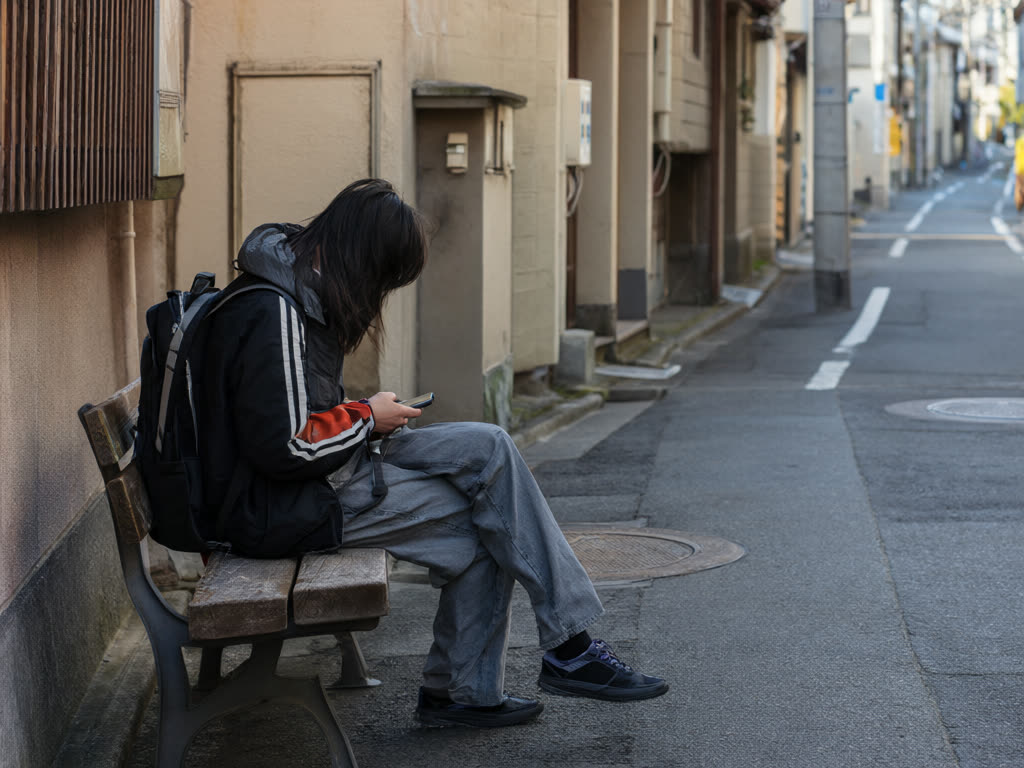
"No internet" is not always an empty plan. Before buying anything, spend two minutes on these:
- Look at the usage counter. On iPhone, go to Settings, then Cellular, and scroll to the usage list; the figure for the eSIM line shows roughly how much it has used. On Android, open the SIM settings for the eSIM and look at data usage. If you are close to the plan size (1, 3, 5, 10, 20 or 50 GB), the data has most likely run out.
- Count the days. If you first connected 7 days ago on a 7-day plan, the days have ended even if data is left over.
- If neither applies, it is probably a setting. Check data roaming is on for the eSIM, that it is selected as the mobile data line, toggle airplane mode, and restart. Our Japan eSIM guide has the full checklist, and if it still fails, email us with your order number.
Phone counters are estimates and can differ a little from the network's own count, so a plan can stop slightly before or after the number on your screen.
How to get more data
Step 1: get onto Wi-Fi
You need an internet connection to buy and install the new eSIM. Hotel Wi-Fi is the easiest. In cities, many cafes, convenience stores, stations and tourist information centres offer free Wi-Fi, often after a short sign-up page. If your home SIM is still in the phone, using its data roaming for a few minutes is another option, but check your home carrier's roaming charges first.
Step 2: buy a new plan
Pick a plan for the days you have left, not the whole trip. Our current Japan plans:
- 1GB / 7 days, ¥480
- 3GB / 15 days, ¥780
- 5GB / 30 days, ¥1,100
- 10GB / 30 days, ¥1,780
- 20GB / 30 days, ¥2,880
- 50GB / 30 days, ¥5,480
A plan marked "Restocking soon" on the site cannot be bought at that moment; choose another size. Payment is by card, and the QR code and install details appear on your order page and in your email straight after payment.
Step 3: install it and switch the data line
The new plan is a new eSIM, not more data added to the old one. Install it the same way as the first:
- iPhone with iOS 17.4 or later: use the one-tap install link on the order page, which avoids needing a second screen to scan from.
- Other phones: scan the QR code from another screen (a travel partner's phone, a laptop or a tablet), or enter the activation code by hand using the manual install details on the order page.
Then turn on data roaming for the new line and set it as your mobile data line. The new plan's days start from its own first connection in Japan, not from the date of the old one. Step-by-step help is in our iPhone and Android install guides.
What to do with the old eSIM
Leave it on the phone until you are sure the plan has ended; a deleted eSIM cannot always be reinstalled, and we do not issue replacements. Once it has clearly ended, you can turn the line off so the phone does not try to use it. Most recent phones can store several eSIM profiles, although only one line carries mobile data at a time, so keeping an old one for a while is rarely a problem.
Buying the second plan before you run out
If you can see the end coming, it is easier to act while you still have data:
- Buy and install the second plan a day or two before the first runs out, and keep the new line switched off.
- When the first plan stops, switch your data line to the new eSIM. Because its days start on its first connection, installing it early does not use any of them. See when a plan starts counting.
- Install it before the install-by date in its order confirmation.
This also works for stays longer than 30 days: one plan after another.
Making the remaining data last
If you are near the end and only need a little longer, these cut usage sharply:
- Turn on Low Data Mode for the eSIM line (iPhone: Settings, Cellular, tap the line, Data Mode) or Data Saver on Android.
- Turn off background app refresh, automatic photo backup and app updates over mobile data.
- Save video, streaming and video calls for hotel Wi-Fi; video is what drains a plan fastest.
- If others are sharing your hotspot, remember every connected device uses your plan's data. Laptops in particular download updates in the background. See hotspot and tethering.
Common mistakes
- Deleting the empty eSIM straight away. Wait until you are sure it has ended, and contact us first if anything is unclear.
- Buying a large plan for two remaining days. A 1GB or 3GB plan is often enough for the tail end of a trip.
- Forgetting the home SIM's roaming. If you switch to your home line's data in an emergency, turn its data roaming off again afterwards. See avoiding roaming charges.
Next time: size the plan for the whole trip
Running out usually means the first plan was a size too small. Our page on how much data you need in Japan has figures by trip length and use. If you are between two sizes, the larger one is usually the better buy: the price difference between neighbouring plans is a few hundred yen.
Quick answer: our Japan plans cannot be topped up. When the data or the days run out, buy a new plan, install it as a second eSIM over Wi-Fi, and switch your mobile data to it. Its days start when it first connects. Keep the old eSIM until you are sure it has ended.
Last updated: 18 October 2026.
Out of data? A new plan arrives in seconds
Buy another Japan plan, install it over hotel or cafe Wi-Fi, and switch your data line over. The new plan's days start when it first connects.
Japan eSIM from ¥480